 KOFA
Setup and usage
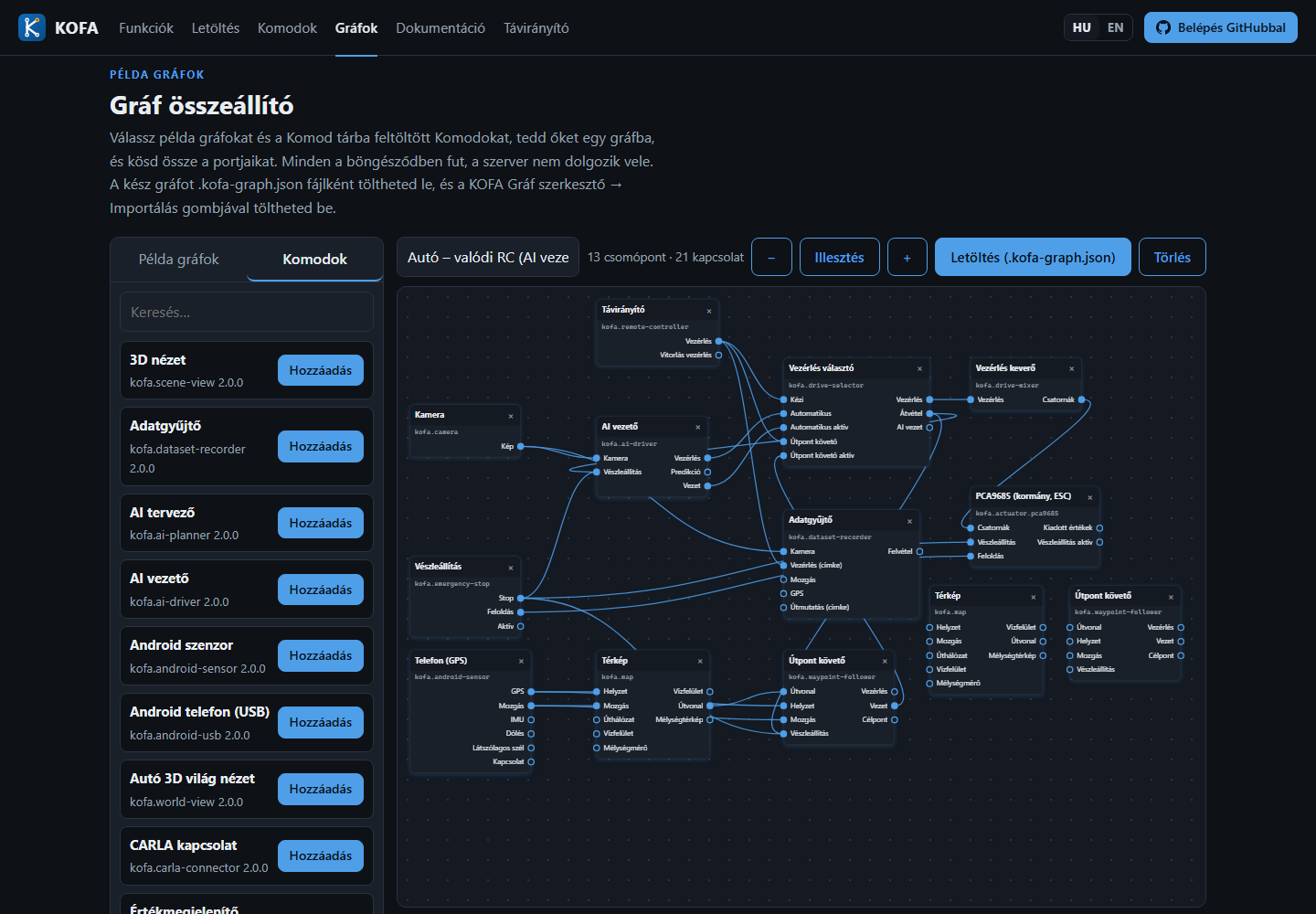
Example graphs and the graph builder
The kofa.kncsk.hu site gives you two things so you do not have to start from an empty canvas:
- Ready-made example graphs: the contents of the repository's
examples/graphs/folder. Every push tomainredeploys the site, so the examples here are always current, just like the downloadable installers always carry the latest release. - The graph builder (/grafok): a simple editor in which you can put the example graphs and the Komods uploaded to the Komod store into one graph and connect their ports.
How it works
The builder runs entirely in your browser. The server only provides three static pieces of data: the list of example graphs, one example file, and the Komod store index (with the Komods' ports). Editing, connecting and producing the file all happen on your machine, so it puts no load on the server, and no sign-in is needed.
It is deliberately for connecting only: there are no Komod settings, no dashboard, and nothing to start or run. The nodes of an example graph keep their original settings; Komods you add are put in with their defaults.
Usage
- On the Example graphs tab on the left, press Add to put a graph on the canvas (several can sit side by side). Nodes with the same id automatically get a new one.
- On the Komods tab, search the Komod store and add what you need. The list shows the latest package versions in the store.
- Connect: drag the dot of one port onto the dot of another. While you drag, the ports that can be linked turn green: an output can only be linked to an input of the same type. If an input does not accept several sources, the new link replaces the old one.
- Delete a link: click the line. Delete a node: the × in its header. Move: drag the node's header. The Fit, − and + buttons zoom the canvas.
- Enter a name for the graph and download the
*.kofa-graph.jsonfile.
Loading it into KOFA
Load the downloaded file with Graph editor → Import graph in KOFA, the same way as the examples from the repository (see Installing and setting up KOFA). Importing always creates a new profile and applies nothing: after reviewing, Apply starts it. KOFA warns about Komods that are not installed; you can install them from the Komod store.
Note
If an example graph uses a Komod that is not (or no longer) in the store, its node is drawn with a dashed border and shows only the ports known from the links. It can still be exported.